Introduction: Why Small Businesses Struggle With SEO
You hired someone to do your SEO. Or maybe you did it yourself. Either way, you expected results by now.
But here is what actually happened: Your website still does not rank. Your traffic did not increase. Your phone is not ringing with new customers.
You are not alone. Most small business owners struggle with SEO. Not because they do not care about their business. Not because they lack determination. They struggle because they make the same mistakes that keep them stuck.
The frustrating part is these mistakes feel small. They feel like minor details. But these minor details add up. They prevent your website from ranking. They prevent you from getting customers.
The good news is these mistakes are fixable. Once you know what they are, you can fix them. This guide walks through the biggest mistakes small businesses make with SEO and exactly how to fix each one.
Mistake 1: Targeting the Wrong Keywords
This is the single biggest mistake small business owners make.
They guess at what people are searching for instead of doing actual research.
So they optimize for keywords like “services” or “products” or “Denver business.” These are too generic. Even if they did rank, the wrong people would find you.
Then they compete against massive companies with bigger budgets. They lose.
Meanwhile, the real opportunity sits ignored. The customer searching for your specific service with the exact problem you solve. That person is searching. You are just not ranking for what they search.
Why This Matters
Search engines match intent. When someone searches “affordable plumber Denver,” they have a specific need. When someone searches just “plumber,” they are still in research mode.
If you rank for “plumber,” you get traffic. But you get research traffic. You get price shoppers. You get curiosity searches.
If you rank for “affordable plumber in my neighborhood,” you get customers ready to hire someone. Today.
This is the difference between traffic and customers.
How to Fix It
Stop guessing. Do actual research.
Tools like Google Keyword Planner, Ubersuggest, or SEMrush show what people actually search for. Not what you think they search for.
Find keywords that fit three criteria:
Search volume: At least 50-100 searches monthly (shows real demand)
Competition: Low to medium (shows you can rank)
Intent match: Closely matches what your business offers (shows you get customers)
Example process:
- Start with broad keyword: “plumbing services”
- Search in Ubersuggest to see related keywords people actually search
- Find the ones people search for regularly but with lower competition
- Build your content around those keywords
You will find keywords you never considered. Customers actively searching for exactly what you offer.
Mistake 2: Ignoring Google Business Profile
Google Business Profile is free. It takes two hours to set up. It drives consistent customers to your door.
And most small businesses either ignore it or set it up incompletely.
The businesses that rank in Google Maps and get map inquiries almost always have completed Google Business Profiles. The businesses struggling have incomplete ones.
This is not complicated. Your Google Business Profile is often your first ranking opportunity.
Why This Matters
When someone searches for your type of business in your area, Google shows a map with local results. These map results come from Google Business Profiles.
An incomplete profile tells Google your business is not serious. It tells your potential customers you do not care enough to maintain your information.
A complete profile tells Google you run an active business. It tells customers you are legitimate.
How to Fix It
Complete your Google Business Profile fully. This means:
Business name: Exact match with how you are legally registered
Address: Real physical address (not just a mailing address)
Phone: Business phone line, not personal cell
Website: Link to your homepage or specific service page
Hours: Accurate hours, including holiday closures
Categories: Choose the primary category matching your business type
Photos: Upload 20-30 professional photos of your office, team, products, or services
Description: Write 750-1,500 characters describing what you do
Service areas: List all neighborhoods or areas you serve
Posts: Update once weekly with news, special offers, or announcements
Reviews: Request reviews from past customers
This takes effort. But it costs nothing. And it directly impacts how often you appear in Google Maps searches.
Mistake 3: Not Building Backlinks
Your website exists in isolation. Nobody links to you. Google has no reason to trust you more than your competitors.
This is why you do not rank.
Backlinks tell Google your website is important. Other sites would not link to you if you were not worth linking to.
But most small businesses do nothing to earn backlinks. They assume they will happen naturally. They do not. Ever.
Why This Matters
A website with 50 quality backlinks from relevant sites ranks higher than a website with five backlinks. Google sees the site with more backlinks as more authoritative.
Competitors who are winning probably have backlinks. You do not. That is one reason they rank higher.
How to Fix It
Start earning backlinks through actual relationships and genuine value.
Direct approach: Reach out to industry-related websites and ask for links. This sounds simple but takes conversation and persistence.
Content approach: Create content worth linking to. Write something useful your industry has not written about. Make it thorough. Make it original. Other websites will link to it naturally.
Directory approach: Get listed in legitimate industry directories. A lawyer gets listed in legal directories. A contractor gets listed in contractor directories. These directories give you backlinks.
Guest content approach: Write articles for other websites in your industry. Include a link back to your site in your author bio. You provide value. You get a backlink.
Local approach: Get mentioned by local organizations, chambers of commerce, nonprofits, or community groups you support. Their websites link to you naturally.
Mistake 4: Creating Low-Quality Content (Or No Content at All)
Your website has a homepage, a contact page, and maybe a services page. That is it.
You hope this is enough to rank. It is not.
Customers have questions. They research before they hire. They search for answers to their problems. Your website does not provide those answers.
So they go somewhere else. To a competitor who answers their questions.
Content is how you answer questions before people contact you. Content builds trust. Content ranks on Google.
No content means no ranking. It is that simple.
Why This Matters
Let us say you are a financial advisor. Someone searches “should I consolidate my student loans?”
Your website has no article about this. So you do not rank for this search.
But a competitor wrote an article answering this exact question. They rank. The customer reads their article. They hire that competitor.
Content fills these gaps. Every question someone has is an opportunity to rank and be helpful.
How to Fix It
Start creating content answering the questions your customers ask.
This is not complicated. If customers ask you questions in person or by email, those are content ideas.
Create articles (1,500-3,000 words) answering these questions:
- “How do I…” articles (How to choose a plumber, how to prepare for a consultation)
- “Should I…” articles (Should I upgrade my system, should I switch providers)
- “What is…” articles (What does this service cost, what is the difference between options)
- “Common mistakes” articles (Mistakes people make hiring contractors, mistakes people make with budgets)
One article per month is better than none. Two per month builds momentum. Four per month starts producing results.
You do not need a huge team. You need consistency. You need to commit to answering your customers’ questions in writing.
Mistake 5: Ignoring Mobile Users
More people search on phones than computers. More people browse on phones. More people make decisions on phones.
But many small business websites are barely usable on phones. Text is tiny. Images do not load. Navigation is confusing. Forms do not work.
You lose customers because of this. Simple incompetence.
Google notices this too. Google ranks mobile-friendly sites higher than non-mobile-friendly sites.
Why This Matters
Half your potential customers browse on phones. If your site does not work on phones, you lose half your potential business.
Additionally, Google ranks based on mobile experience. A site that works great on desktop but poorly on mobile ranks lower.
How to Fix It
Test your website on a phone. Right now. Actually open it on a mobile phone and try to use it.
Can you read the text? Can you click buttons? Can you fill out forms? Can you navigate to different pages?
If not, you have a mobile problem.
Fix it by:
Using a responsive web design (automatically adjusts to screen size)
Making text readable without zooming
Making buttons and links big enough to tap
Speeding up mobile page load times
Testing forms on actual phones to ensure they work
Most website platforms handle this automatically now. WordPress, Wix, Squarespace all do mobile responsive design. If you are on an old custom site, you may need an update.
Mistake 6: Slow Website Speed
Your website takes 10 seconds to load. Most visitors leave before it loads.
They go to competitors whose websites load in two seconds.
You lose customers because your website is slow.
Google notices this too. Slow websites rank lower. Google wants to send people to fast websites.
Why This Matters
Studies show that for every one-second delay in page load, you lose about 7 percent of visitors. A five-second load time compared to a two-second load time means you lose about 20 percent of potential customers.
Additionally, Google uses page speed as a ranking signal. Faster sites rank higher.
How to Fix It
Test your current speed at Google PageSpeed Insights. It gives a free report showing what is slowing you down.
Common speed problems:
Large images that are not optimized
Too many plugins or scripts running
Server response time too slow
No caching set up
Code bloated and not minified
Fixes:
Compress and optimize images before uploading
Remove unnecessary plugins
Upgrade to better hosting if server is slow
Enable caching
Minify CSS and JavaScript
Use a content delivery network (CDN)
Most hosting companies now have simple settings to enable these optimizations. Ask your hosting company. Or use a platform like WordPress with speed optimization plugins.
Mistake 7: Poor On-Page Optimization
Your content is great. But the title tag is vague. The meta description is generic. The headings are not organized. No image alt text.
Google cannot understand what your page is about. So it does not rank it.
Small mistakes add up to poor rankings.
Why This Matters
On-page optimization tells Google what your page is about. If you do this poorly, Google misunderstands your content.
You might rank for the wrong keywords. Or not rank at all.
How to Fix It
For each page, optimize:
Title tag (55-60 characters): Include your primary keyword. Make it compelling. This is what shows in search results.
Meta description (155-160 characters): Summarize the page. Include keyword naturally. This also shows in search results.
H1 heading: One per page. Match your title tag closely. Tell readers what the page is about.
H2 and H3 headings: Organize your content with subheadings. Include keywords naturally.
Image alt text: Describe each image. This helps Google understand images. It also helps accessibility.
Content structure: Use short paragraphs. Use lists. Break up text for readability.
Internal links: Link to related pages on your site when relevant.
Example:
Page: “How to choose a plumber”
Title tag: “How to Choose the Right Plumber for Your Home”
Meta description: “Learn how to select a reliable plumber. Tips on credentials, pricing, warranties, and common mistakes to avoid when hiring.”
H1: “How to Choose the Right Plumber for Your Home”
H2 headings: “Check Licensing and Insurance,” “Ask About Warranties,” “Get Multiple Estimates”
This signals clearly to Google what the page is about. You get better rankings.
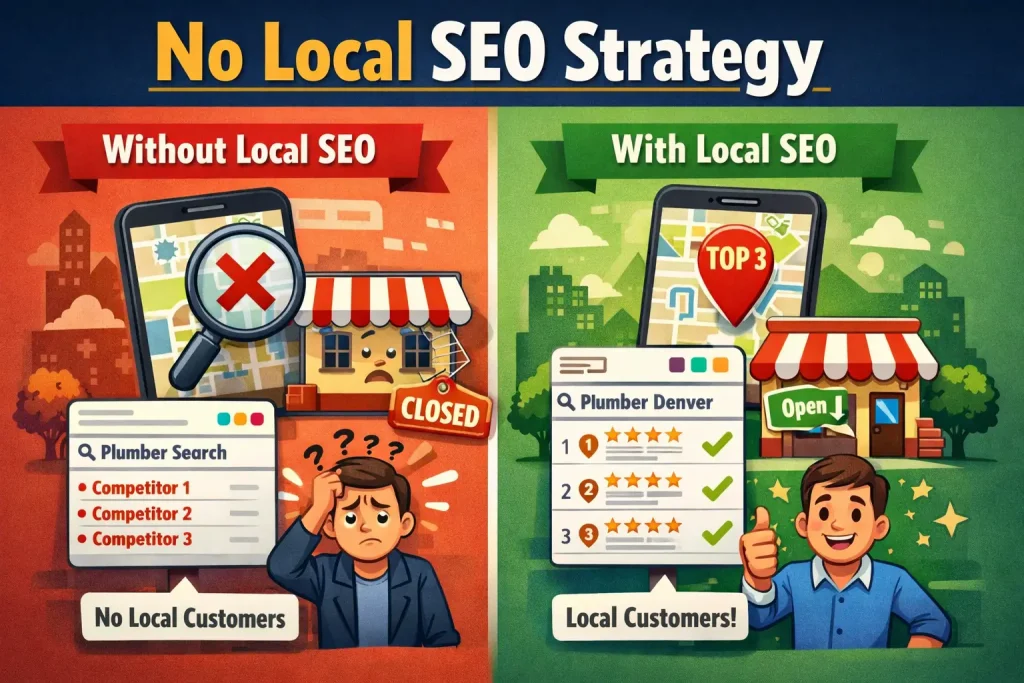
Mistake 8: No Local SEO Strategy
You have customers only in your local area. But your website targets people everywhere.
You do not rank locally. You do not get local customers.
Meanwhile, competitors with local strategies rank locally. They get all your customers.
Why This Matters
If you serve only a specific geographic area, you should rank for local searches. “Plumber Denver” not “plumber worldwide.”
Local searches convert better. The person searching in Denver is more likely to hire a Denver plumber. The person searching nationwide is browsing.
How to Fix It
Build local into your strategy:
Optimize for local keywords (service + location: “plumber Denver,” “dentist in Highlands”)
Create local content (neighborhood guides, local market updates, community involvement)
Get local citations (list your business in local directories)
Build local backlinks (get mentioned by local organizations)
Encourage local reviews (reviews boost local ranking)
Use location pages if you serve multiple areas (separate pages for each neighborhood or city)
Get in the Google Maps pack (through Google Business Profile optimization)
Local SEO is often less competitive. Your competitors might be ignoring it. This is your advantage.
Mistake 9: Inconsistent or Missing Business Information
Your business name is different on your website than it is in directories. Your phone number changed but you updated only some sites. Your address shows different formats in different places.
Google gets confused. Your rankings suffer.
Why This Matters
Google uses consistent business information (Name, Address, Phone) to verify your business. Inconsistency makes Google less confident you are a legitimate business.
Inconsistent information also confuses customers. They call the wrong number. They visit the wrong address.
How to Fix It
Audit all your business information online:
Use a tool like Moz Local or BrightLocal to see where you are listed
Check Name, Address, Phone formatting across all listings
Fix inconsistencies immediately
Use a consistent format everywhere: Full legal business name, complete street address with zip code, consistent phone number format
Then maintain this going forward. When you change information, update everywhere simultaneously.
Mistake 10: Ignoring Analytics and Data
You do not know what is working. You do not know how many people visit your site. You do not know which pages drive customers.
So you make decisions based on guesses.
Competitors who track data know exactly what works. They double down on what works. They fix what does not.
Why This Matters
Data tells you what is actually working. Without data, you make expensive mistakes.
You might spend time on content that drives zero leads. You might overlook low-hanging fruit that converts customers.
How to Fix It
Set up Google Analytics and track:
Monthly website visitors
Traffic by page
Conversion rate (visitors to leads or customers)
Traffic source (search, direct, referral, ads)
Keywords driving traffic
User behavior (bounce rate, time on page)
Monthly, review this data. Ask:
Which pages get the most traffic?
Which pages convert best to leads or customers?
Which keywords are working?
Which keywords are bringing traffic but no leads?
Where is traffic dropping from?
This data reveals opportunities. Expand what works. Stop doing what does not work.
Mistake 11: Giving Up Too Soon
You started SEO six months ago. You have seen some improvement. But you expected more by now.
So you give up. You think SEO does not work.
Then 18 months later, a competitor who stuck with SEO dominates local search. They get most of the customers. You get the rest.
You quit right before results accelerated.
Why This Matters
SEO takes time. Most results appear between months four and eight. Major results appear between months 12 and 18.
Giving up at month six means you get no benefits. Your competitor who kept going at month six gets massive benefits.
SEO is an investment with delayed returns. But when returns come, they compound.
How to Fix It
Commit to at least six months. Better to commit to one year.
Set realistic expectations:
Month 1-2: Setup and foundation. No results yet.
Month 3-4: First improvements. Some rankings improve. Some traffic arrives.
Month 5-8: Significant improvement. Real lead generation starts.
Month 9-12: Major results. Consistent customer flow from SEO.
Month 12+: Compounding. SEO becomes your main customer source.
Do not judge at month three. Judge at month six. Better yet, judge at month 12.
Mistake 12: Not Responding to Reviews
A customer leaves a negative review. You do not respond. The review stays there forever.
New customers read it. They hire someone else.
Every negative review left unanswered costs you customers. Every positive review you acknowledge builds trust.
Why This Matters
Reviews influence buying decisions. If your business has bad reviews and competitors have good reviews, people hire the competition.
Also, responding to reviews tells Google your business is active. Google factors review engagement into rankings.
How to Fix It
Check for reviews at least weekly. Respond to every single review.
Positive review response: “Thank you for taking the time to leave a review. We appreciate your business and hope to work with you again.”
Negative review response: “We are sorry you had this experience. This does not reflect our standards. Please contact us directly so we can make this right. [Include contact information]”
Keep responses brief, professional, and genuine. Do not make excuses. Do not get defensive.
Mistake 13: Copying Your Competitors
You looked at what your competitor is doing. So you copied it. You now have similar keywords, similar content, similar structure.
You rank lower than them anyway.
That is because you are copying their SEO. You are not creating your own unique strategy.
Why This Matters
Copying is easier than creating. But copied content and strategies perform worse. Google rewards original content and unique approaches.
Your competitor succeeded because they did something different. Copying them means you do what they did, not what worked.
How to Fix It
Study competitors to learn, not to copy.
Ask:
What keywords do they rank for that I do not?
What content do they have that I do not?
What gaps do I see in their content?
Then create original content better than theirs. Answer questions better. Go deeper. Provide more value.
Do not copy their keywords. Target similar keywords better.
Do not copy their content structure. Create better structure.
Do not copy their approach. Create your own approach.
Frequently Asked Questions About Small Business SEO
Q: How long does SEO take to show results?
A: Month one through two: Foundation building, no visible results. Month three through four: First rankings appear, light traffic increases. Month five through eight: Significant improvements in rankings and traffic. Month nine through twelve: Major results, consistent customer generation. Results vary by industry and competition level, but expect at least six months before real business impact.
Q: Should I do SEO myself or hire an agency?
A: This depends on your time, expertise, and budget. DIY works if you have time and willingness to learn. It takes 10-15 hours weekly. Hiring an agency costs money but accelerates results. Elite SEO Rankers’ SEO services can accelerate your timeline significantly. Many small businesses do hybrid: handle content creation themselves, hire professionals for technical SEO.
Q: How much should I budget for SEO?
A: DIY: $0-500 monthly (tools only). Freelancer: $500-1,500 monthly. Small agency: $1,500-3,000 monthly. Full agency: $3,000-10,000+ monthly. For small businesses, starting with freelancers or specialists for specific areas (Google Business Profile, keyword research, technical audit) is common before hiring full-service agencies.
Q: What if my competitor is using black hat SEO?
A: Black hat techniques (keyword stuffing, link schemes, cloaking) work temporarily but result in penalties. Your competitor may rank now but will be penalized within months to a year. Keep using white hat techniques. You will rank longer and more sustainably.
Q: How do I know if my current SEO is working?
A: Track monthly: Website traffic, keyword rankings, leads from SEO, conversion rate. Use Google Analytics and Google Search Console. If traffic is not increasing after four months, something needs adjustment. If traffic is increasing but leads are not, your website conversion needs work.
Q: Can local SEO help my business?
A: If you have a physical location or serve a specific geographic area, yes. Local SEO is often less competitive than national SEO. Ranking locally gets you customers actively searching in your area right now.
Q: Should I use Google Ads while building SEO?
A: Google Ads gives immediate traffic while SEO builds. This works well: Run ads for months one through four, then reduce as SEO traffic grows. Ads show what keywords convert. Use this data for your SEO strategy.
Q: How often should I publish new content?
A: At minimum, one article monthly. Two per month is better. One per week is excellent. Consistency matters more than frequency. Monthly content beats random bursts of content.
Q: What is more important, keywords or content quality?
A: Both. Keywords tell Google what your content is about. Content quality keeps people on your page and encourages them to contact you. Ignore either one and you fail. Do both well and you rank and convert.
Q: How many backlinks do I need?
A: Quality beats quantity. Five backlinks from authoritative relevant sites beat 100 backlinks from random low-quality sites. Start with 10-20 quality backlinks. As you accumulate more, keep prioritizing quality.
Q: Should I worry about AI search?
A: AI search (ChatGPT, Google Generative Experience) is growing but does not replace Google Search. Focus on ranking in traditional Google Search. Content that ranks for traditional search also appears in AI search results.
Q: What is the biggest SEO myth?
A: That SEO is dead or does not work. This myth persists because people expect quick results. SEO works. It just takes time. Businesses investing in SEO consistently get customers from it for years.
Conclusion: Your Path Forward
You now understand the biggest mistakes small businesses make with SEO. More importantly, you know how to fix them.
This is not complicated. You do not need to become an SEO expert. You do not need a massive budget. You need to avoid stupid mistakes and do the basics right.
Your competitors are making these mistakes. Most small businesses are. This is your advantage. Do the basics right, and you outrank them.
Start with one thing. Pick the mistake affecting you most and fix it.
Maybe it is Google Business Profile. Maybe it is keyword research. Maybe it is slow site speed.
Pick one. Fix it. Then move to the next.
In 12 months of consistent effort, you will rank higher than you do now. In 18 months, SEO will be generating customers for you regularly.
Ready to accelerate your results? Contact Elite SEO Rankers for a free consultation. We help small businesses fix these exact mistakes.